blog entry
Sharpening the Axe
Permalink for Sharpening the AxeThe concept: Permalink to this heading
This is a post speedrunning how fast I can actually get a post up on the site from concept to execution. I am starting the post at 8:42 PM Mountain time on 5/15/2026
Something that I've thought about a lot lately has been Brendon's description of his process for Wavelengths. He talks about wanting to have as little friction as possible with no barriers between his ideas and execution of those ideas. To that end, he does a lot of interesting things around his tooling and recording/editing process, primarily editing his videos based on the audio first using Ableton, which he has extensive experience in. My methodology is pretty similar, but I'm still in the building phase, rather than off and running. Right now, I feel like the best way to describe it is "Sharpening the Axe." It comes from an old proverb, often attributed to Abraham Lincoln.
Give me six hours to chop down a tree and I will spend the first four sharpening the axe.
The idea here is that if you spend the extra effort on ensuring your tools are in the most pristine, ready-to-use condition possible, the highest amount of effort will actually reach the problem you're trying to solve.
Existing setup: Permalink to this heading
My previous setup already did a lot of this for me. My site is built using Hugo, so I can write entirely in markdown, which is pretty fast for me. It also means I don't have to faff about with stuff like image processing or resizing. All that is handled when the site is built.
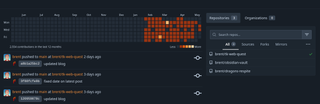
I use Forgejo for my code forge. It's hosted on my home server. I also host a Runner on that server. The Runner creates its own little sandbox to run the commands I have stored in an Action yaml file in my repository. The yaml tells the runner to pull the repo, run hugo on it, then push the updated site to my webserver, which actually hosts the site. This has been set up for a while now and works beautifully. Everything after saving the blogpost is extremely fast and easy.
To trigger all of this, I have a simple script that takes the multiple actions of adding changed files, setting a commit message and pushing the changes to my Forgejo instance into a single command. I simply blogup in a terminal and everything pushes.
New Solutions: Permalink to this heading
The issue with the setup before now has been that in order to make a new post, I had to accomplish a few things.
-
Make a new folder in my local copy of the tk-web-quest Repository with the current date and post title
-
Make a new index.md inside that folder.
-
Put front matter into the index.md so Hugo knew what the post date and title were.
-
Write the post
-
Every time I added an image, I needed to move it into an images folder next to the post.
While this may not seem like a lot, it was a good couple minutes of setup before I could actually write anything. My new changes come as a pair.
Image improvement: Permalink to this heading
This one is thanks to Tkaixiang, the person who has been dutifully maintaining a fantastic fork of Marktext for a while. I asked if there was any way to make the image handling of Marktext better, to allow images to be placed relative to the currently open folder or the currently open file depending on a preferences dropdown. As it turns out, this dev is very responsive and added that feature into a prerelease of their Marktext fork. Even more excitingly, though, Jocs, the original author of Marktext has returned to maintain the original and has merged all of Tkaixiang's work as a huge contribution. I'm really excited to see where Marktext goes from here
New Post Workflow Permalink to this heading
This one is also a little helper script. It's a little more complex than the other one, but that makes it a little more functional. I've included it below as inspiration for others who might be interested in a similar workflow. The script accepts a single argument in quotations ie: newpost "Sharpening the Axe" and does all the prep work for me, setting up a new draft post in a flash rather than me having to mess with it. If I need to edit the title or something, I can do that after the fact, but this gets me writing as fast as possible.
#!/bin/bash

## A script to start a new blog post with the front matter already applied and the folder format correct. The script accepts one argument, the post's name as a string.

## Get the post date from current time
post_date=$(date '+%Y-%m-%d')

## Get the post name without spaces, in lower case, and without problematic characters.
pass1=${1// /-}
pass2=${pass1//,/}
pass3=${pass2//:/}
pass4=${pass3//;/}
folder_name=${pass4,,}

echo "Directory will be $post_date-$folder_name"

mkdir $HOME/Projects/tk-web-quest/content/posts/$post_date-$folder_name

echo "Directory made. Creating index.md with correct frontmatter"

## Make sure the index.md exists, then inject front matter into the file using a heredoc and cat
touch $HOME/Projects/tk-web-quest/content/posts/$post_date-$folder_name/index.md

cat << EOF > $HOME/Projects/tk-web-quest/content/posts/$post_date-$folder_name/index.md
---
title: '$1'
date: '$post_date'
draft: true
---

EOF

## Open the resulting file in Marktext
marktext $HOME/Projects/tk-web-quest/content/posts/$post_date-$folder_name/index.md
Time! Permalink to this heading
It's now 9:02PM. Time to run the update script!